
Powered by Blend
Capitale de Noël runs on Blend
Batrouniyat runs Batroun Capitale de Noël on Blend: our ticket shop, the box offices at the door, the door scanners in our staff’s hands and a live view for our project manager. All of it is issued from BlendOS, so one system knows every ticket, every gate and every session.
- 1,328Timed sessions across 3 experiences
- 41Days of Capitale de Noël
- 3Ways a ticket is sold: online, app, box office
- 1System for every ticket, gate and seat count
A to Z
Everything that runs on Blend
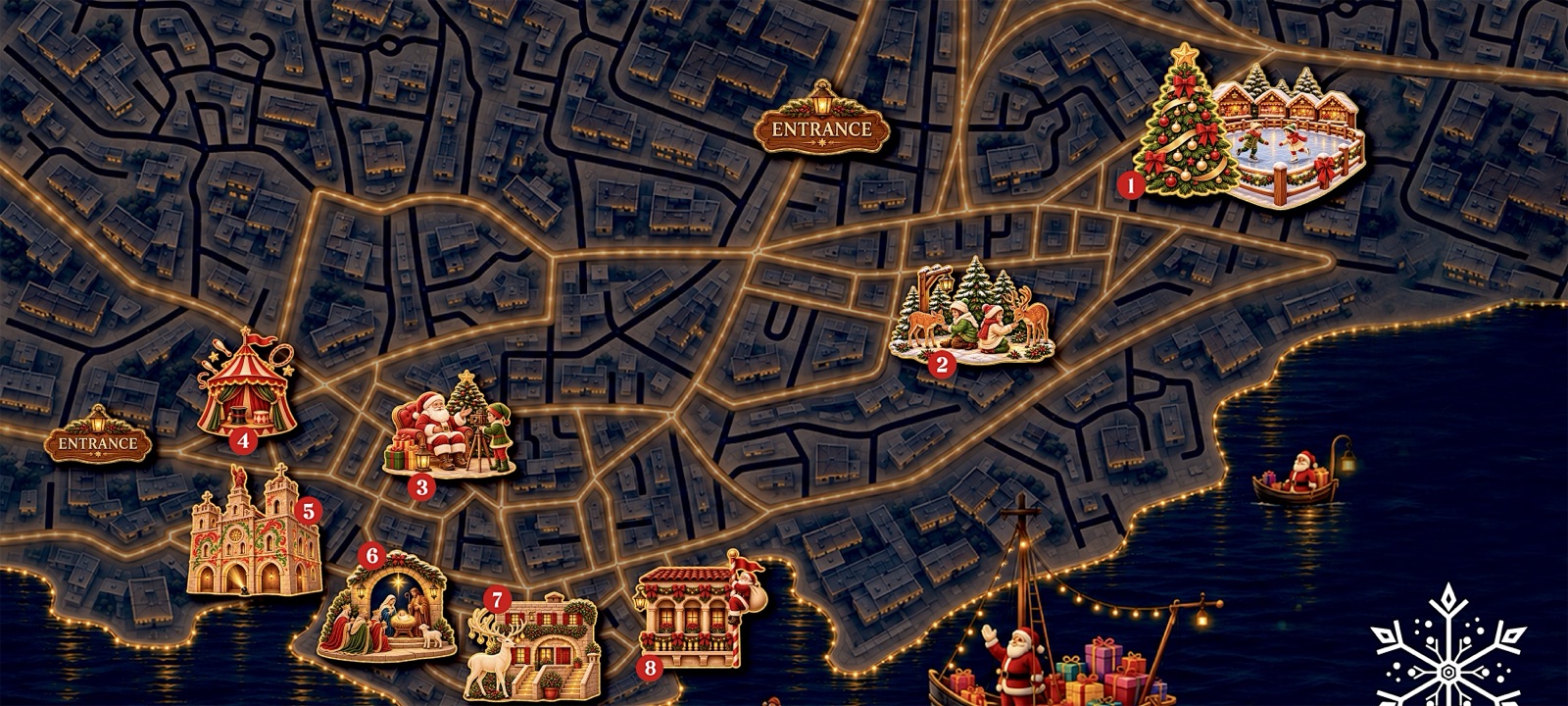
The season has three ticketed experiences, ten stops on the Christmas map and a team on the ground every evening. These are the eight parts of it that Blend runs.
- 01Our ticket shopbatrouniyat.com sells every ticket in our own brand. The shop, the checkout and My tickets run on Blend’s white-label ticketing.blendapp.ai/organizers/white-label-ticketing
- 02Timed sessionsSanta’s House, the Ice-Skating Rink and the Christmas Enchanted Forest are sold by time slot, 1,328 sessions in all, so no session takes more visitors than the space holds.blendapp.ai/organizers/white-label-ticketing
- 03Box offices at the doorEach box office is a phone running BlendOS with its own pairing code. It sells walk-in tickets at the door, and every ticket it sells is issued in the same system as an online ticket.blendapp.ai/organizers/on-ground-event-operations
- 04Door scanners for staffGate staff scan with their phones. Each scanner is issued from BlendOS for a day or a session, flags a ticket that was already used, keeps its own log and can be switched off at any moment.blendapp.ai/organizers/blendos
- 05Staff access codesA new team member downloads BlendOS, enters a code and opens only their own screen: scanner, box office or check-in. Codes expire, so nobody keeps access after the season.blendapp.ai/organizers/blendos
- 06Project manager viewerOur project manager has a login that opens only what they need to see: sales, sessions and scans, live. They follow the whole season without changing a setting.blendapp.ai/organizers/blendos
- 07Live opsEvery box office, every scanner and every sale in one live view, by experience and by session, while the gates are open.blendapp.ai/organizers/on-ground-event-operations
- 08Guest messagesEvery guest gets a QR ticket by email and in the Blend app, a reminder the day before and one an hour before their session.blendapp.ai/organizers
On the ground
A day at the gates, in four moments
- 01Before the gates openWe issue the day’s scanner codes and box office codes from BlendOS and hand them to the team. Each code opens one role.
- 02Gates openStaff scan QR tickets at Santa’s House, the rink and the forest. Walk-ins buy at the box office and walk in with the same kind of ticket.
- 03During the sessionThe project manager watches sales and scans per session, live. If a gate gets busy, we move staff where they are needed.
- 04After closingEach scanner and each box office has its own log. Sales and scans for the day are already in one place, so we close the day from one screen.
BlendOS roles
Who sees what
Every person on the team opens BlendOS with their own code or login, and sees only their own screen.
| Person | BlendOS role | What they can do |
|---|---|---|
| Gate staff | Scanner | Scans tickets for the day or session they were issued. Sees whether a ticket is valid or already used. |
| Box office | Walk-in sale | Sells tickets at the door on its own pairing code. Every sale issues a ticket in the same system. |
| Project manager | Viewer | Sees live sales, sessions and scans. Cannot change prices, sessions or settings. |
| Batrouniyat admin | Full access | Creates sessions, issues and revokes codes, adds teammates and decides what each one can open. |
This season
Sold and scanned on Blend
- Santa’s House336 timed sessions
- Ice-Skating Rink336 timed sessions
- Christmas Enchanted Forest656 timed sessions
For guests
Bought a ticket? Here is how it works.
How to book a time slot, where your QR ticket is and what to show at the gate.
Questions
Blend at Batrouniyat, answered
What is Blend?
Blend is the event platform Batrouniyat runs on. It powers our ticket shop on batrouniyat.com, the checkout, the QR tickets, and the gates and box offices on the ground through BlendOS.
What is BlendOS?
BlendOS is Blend’s operating system for the event day. On a phone it is a door scanner, a box office or a check-in screen. On the web it is the console where we issue codes, follow live numbers and manage the team.
How do box offices work at the door?
A box office is a phone paired to BlendOS with its own code, separate from the scanners. It sells walk-in tickets, and each ticket it sells is issued in the same system as tickets bought online.
How are door scanners given to staff?
We issue a scanner from BlendOS for a day or a session and give the code to the staff member. Their phone becomes a scanner with no login. We can switch it off at any moment.
What does the project manager see?
A view-only login: live sales, sessions and scans for every experience. Team access in Blend decides exactly which screens each person can open.
Can another organizer run an event like this?
Yes. Blend works with organizers across Lebanon and the region. Send Blend an inquiry at blendapp.ai/organizers/contact or write to info@blendapp.ai.
For organizers
Run your event on Blend
Planning a festival, a Christmas village or a season of your own? The system that runs Capitale de Noël is open to organizers across Lebanon and the region.
- White-label ticketingA ticket shop on your own domain, in your own brand, like this one.blendapp.ai/organizers/white-label-ticketing
- BlendOSThe operating system for the gate, the scanners and the team on the ground.blendapp.ai/organizers/blendos
- On-ground operationsCheck-in, access control and live counts during the event.blendapp.ai/organizers/on-ground-event-operations
- Blend for organizersEvery tool for selling and running an event in Lebanon and the region.blendapp.ai/organizers
Talk to Blend
Send Blend an inquiry
Tell the Blend team about your event and they will come back to you. Or write to info@blendapp.ai.